
Why javascript:void(0) Needs to Stay in the Past
A few months ago, I ran across a javascript:void(0) in the wild. I’m not going to get into the specific context because it doesn’t really matter, also it gets a bit too personal for this blog post. But I took a screenshot, thought “huh, that’s weird,” and promptly forgot about it.
Then I was scrolling back through my screenshots and found it again. So here we are. Let’s talk about javascript:void(0) and why you shouldn’t be using it in 2026.
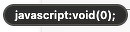
Here’s the screenshot that started this:
What Does It Actually Do?
If you’ve never encountered this pattern before, here’s the quick version. void is a JavaScript operator, so not a function, and its only job is to evaluate the expression next to it, throw away the result, and return undefined. That’s it. That’s the whole job.
When a browser receives undefined from clicking a link, it does nothing. No navigation, no page refresh. It’s a way to override the browser’s default behavior for an anchor tag.
In practice, it looked like this:
<a href="javascript:void(0);" onclick="openModal()">Click Me</a>
The href prevents the browser from doing anything, and the onclick fires whatever JavaScript you actually wanted to run. Clever? Sure. A good idea today? No.
Why Did We Use It?
Back in the day, we wanted to stop the browser from doing its default thing, following a link, so we could trigger events and make web pages more interactive. This was typically done on anchor tags because, well, that’s what we had. JavaScript didn’t give us a better way to handle it at the time, so javascript:void(0) became the go-to pattern.
It worked. But “it works” and “it’s a good idea” are two very different things.
Three Reasons to Stop Using It
1. It Breaks the Anchor Tag’s Purpose
The biggest issue is that javascript:void(0) completely overrides what an anchor tag is supposed to do. An <a> tag exists to link to things. When you stuff JavaScript into the href, you’re hijacking the element’s entire reason for existing.
We’ve moved on from needing to do this. If you want something clickable that triggers behavior, use a <button>. If you want a link that also has JavaScript behavior, give it a real URL as a fallback.
2. Separation of Concerns
Modern best practices tell us that HTML should define the structure of the page, and JavaScript should define the behavior. When you’ve got JavaScript living inside an href attribute or relying on inline onclick handlers, you’re mixing the two in ways that make code harder to maintain and reason about.
The better approach? Use event.preventDefault() in your JavaScript:
<a href="/fallback-page" id="myLink">Click Me</a>
document.getElementById('myLink').addEventListener('click', function(event) {
  event.preventDefault();
  openModal();
});
This way, if JavaScript is disabled or fails to load, the link still works. There’s a fallback behavior, which matters for accessibility and backwards compatibility. The HTML stays clean, and the behavior lives where it belongs, in your JavaScript files.
Now, I will say that plenty of modern front-end frameworks add their own semantic patterns and play pretty loosey-goosey with this separation of concerns rule. But even React’s onClick handlers and Vue’s @click directives are compiled and managed in a way that’s fundamentally different from jamming raw JavaScript into an HTML attribute.
3. Content Security Policy Will Block It
I’d like to believe Security still matters in 2026 so lets talk about the Content Security Policy (CSP).
CSP is a set of rules that a web server sends to the browser via HTTP headers, telling the browser what resources the page is allowed to load or execute. Before CSP, browsers just assumed that if code was in the HTML document, it was meant to be there. Web pages were incredibly vulnerable to cross-site scripting (XSS) attacks.
With CSP, the server tells the browser: “Only execute JavaScript if it comes from my own domain. Do not execute any code written directly inside the HTML file.”
A proper CSP header looks something like this:
Content-Security-Policy: default-src 'self'; script-src 'self';
This is great for security. But guess what javascript:void(0) is? Inline JavaScript. A strict CSP will block it.
So if you see a site still using javascript:void(0), check the response headers. Chances are you’ll find something like:
Content-Security-Policy: default-src 'self'; script-src 'self' 'unsafe-inline';
See that 'unsafe-inline' addition? That’s the security risk. By adding unsafe-inline, the developer is telling the browser to trust all inline scripts. Every single one. So if an attacker manages to inject JavaScript onto the page, the browser will execute it without hesitation.
You’re weakening your entire site’s security posture just to keep a legacy pattern alive. That’s not a tradeoff worth making.
You Probably Don’t Even Need to Think About This
If you’re working with any modern JavaScript framework, this problem is already solved for you.
React, Svelte, Vue, Solid, whatever you’re using, they all ship components that handle default browser behavior the right way. Take forms as an example. The raw HTML <form> element will, by default, submit and trigger a full page navigation. That’s why developers used to manually call event.preventDefault() everywhere. But now, frameworks like Next.js, Remix, and SvelteKit give you a <Form> component (or equivalent) that overrides that default behavior for you. No page reload. No manual prevention.
The same applies to links, buttons, and pretty much any interactive element. The framework’s component handles the wiring so you don’t have to remember the low-level browser quirks. You import the component, use it, and move on.
That’s the real reason javascript:void(0) feels so out of place in 2026. It’s not just that we have better patterns available, but the tooling has abstracted the problem away entirely. The history is worth knowing, because understanding why things work the way they do makes you a better developer!